
Each channel is complete
Its own identity, week, YouTube connection and destinations. Two channels can be live at the same time, and stopping one never touches the other.
Hustle TV is the desktop control room for streamers and channel owners who want linear television — not another endless playlist hack.
Free for 14 days on one channel, no card. Buy it when it earns it.
One Mac, several channels
Hustle TV Studio runs several complete channels on one Mac — not one channel copied, several channels broadcasting independently at once.
Its own identity, week, YouTube connection and destinations. Two channels can be live at the same time, and stopping one never touches the other.
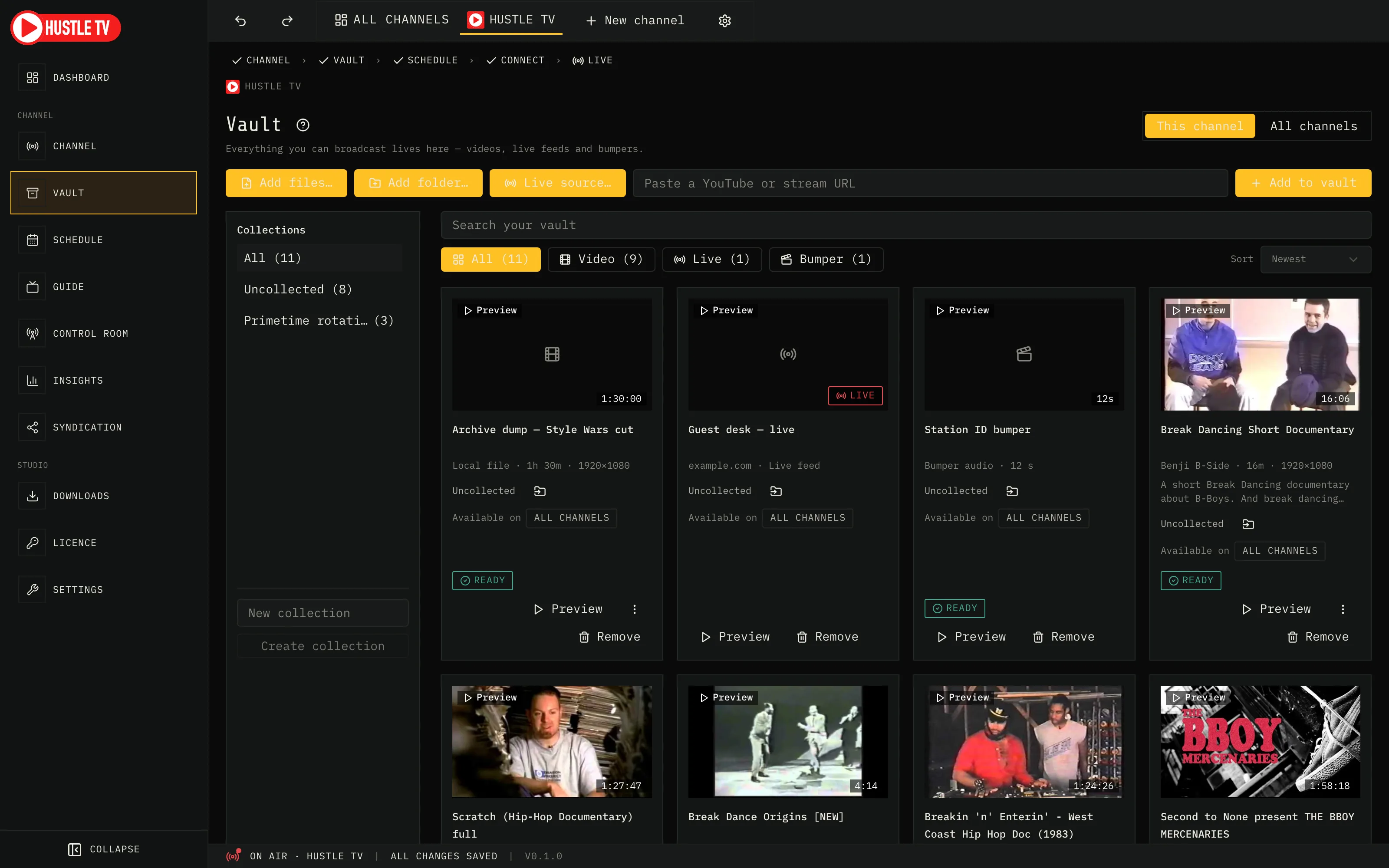
Your media lives in one Vault every channel can draw from — no duplicating files per channel.
Every channel is a tab across the top of Studio, logo and name; the page you are on always names its channel.
Built for
Keep a channel on air around the clock with a week schedule, not a single looped VOD hope.
Encode once. Push the same broadcast to Twitch, Rumble, Kick, or partner RTMP — without juggling five OBS scenes.
Music, gaming, retro, community, family — build a curated channel people leave on, the way TV used to work.
Why operators join
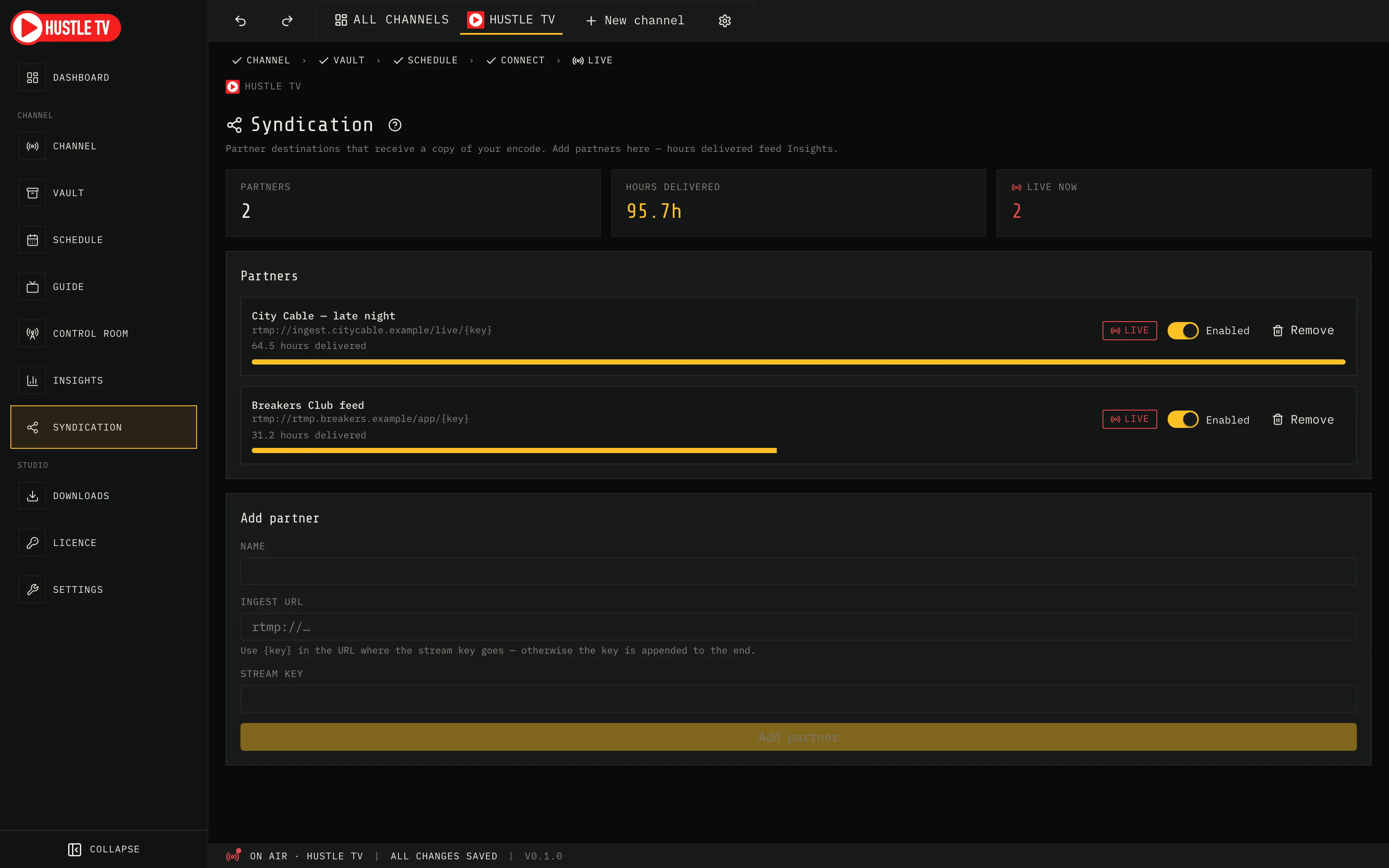
Encode once. Fan the same linear channel to YouTube, Twitch, Rumble, Kick, and partner RTMP — with hours logged per destination. Partners get a clean feed; you keep the schedule and the brand.
Add partner RTMP targets, watch hours delivered climb while you stay on air, and open Insights when you need the roll-up for a deal or a postmortem.
The problem
If you have tried to fake linear TV with a looped playlist or a fragile overnight OBS setup, you already know where it breaks.
A YouTube playlist does not give you ads, next-up continuity, closing screens, or a week you can actually run.
Manual scene switching and fragile scripts break at 3am. Broadcasters need a schedule that runs itself.
Your audience is split across platforms. One encode should fan out — with per-target health you can see.
What you get
Vault → week → destinations → live. Continuity and closing screens are part of the schedule, not a scramble at go-live.
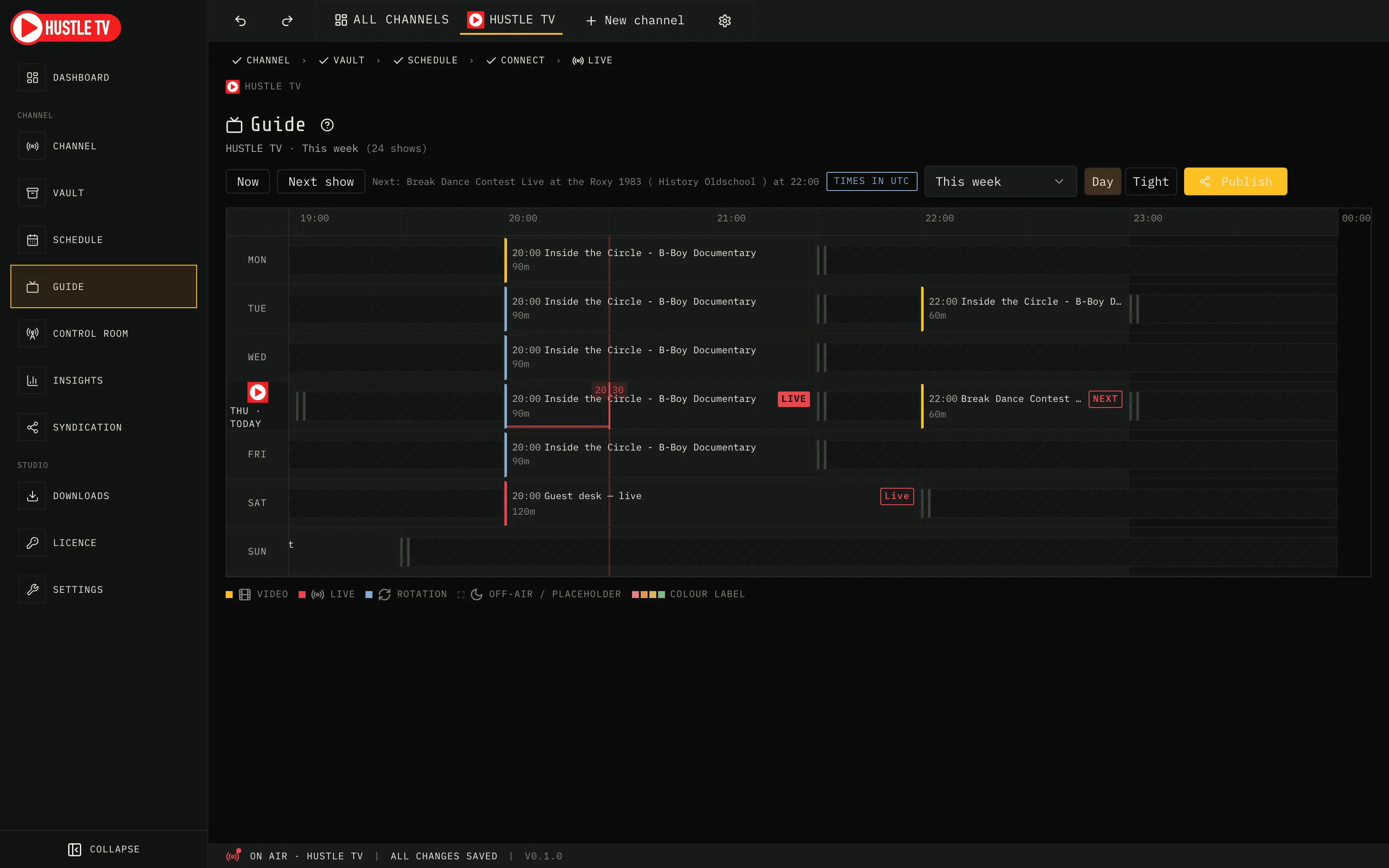
A real TV guide for your channel — now line, primetime, the grammar everyone already reads.
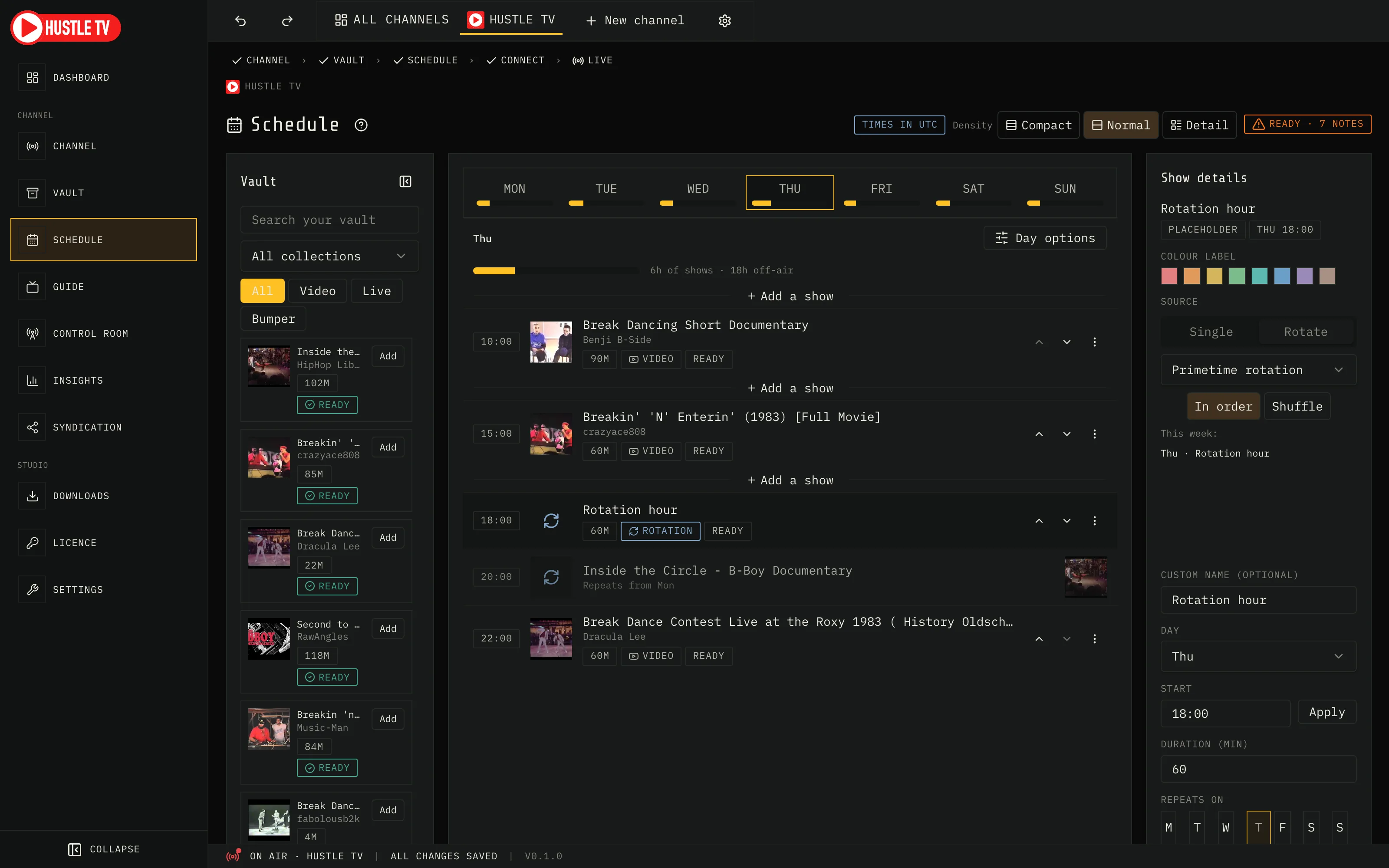
Rotation slots: schedule a collection, not a file.
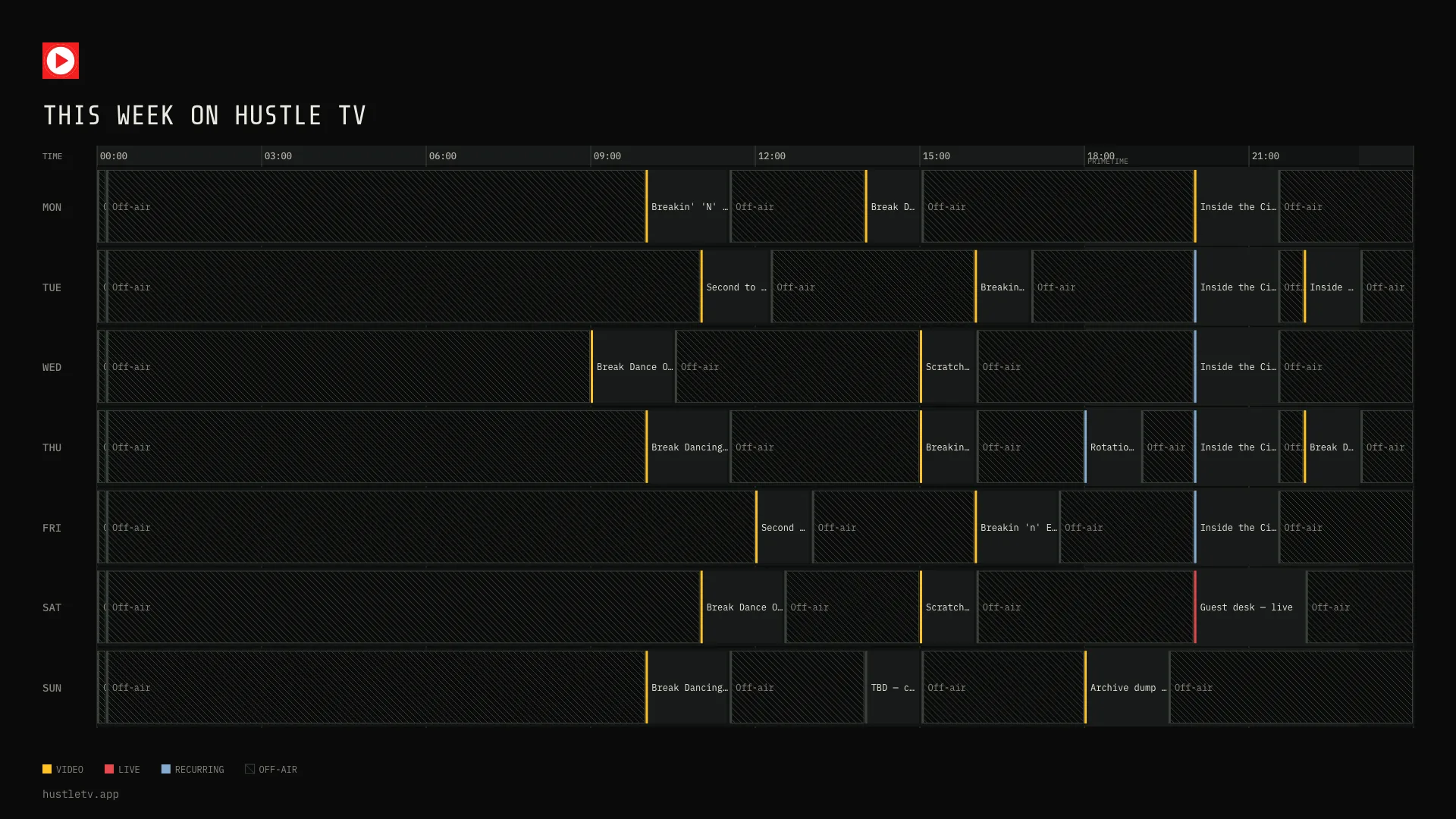
Publish your week as an image, a text listing, or XMLTV.
A pre-flight checklist names what's missing — channel, YouTube connection, today's programming, media ready — and Go live waits until it's clear.
Add shows to each day's rundown; every start time is worked out for you. Junctions and closing screens are placed between shows. You see the channel before it goes live.
Thumbnails, runtime, originating channel, descriptions, collections — so you stop guessing which file is which at 2am.
Pre-flight, rundown, and per-target health — so you know what is airing and where the feed is actually connected.
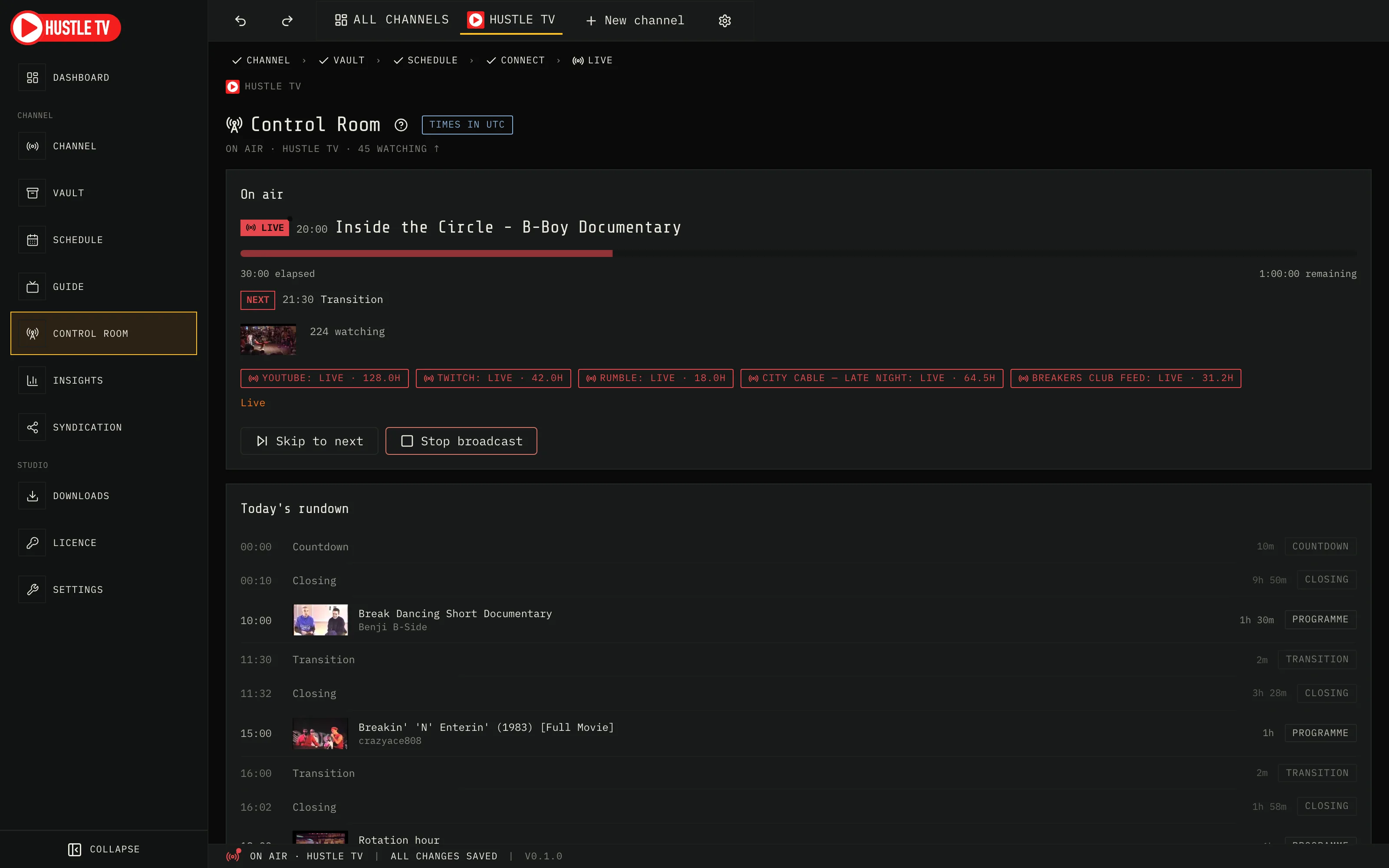
Publish your week as an image, a text listing, or XMLTV.
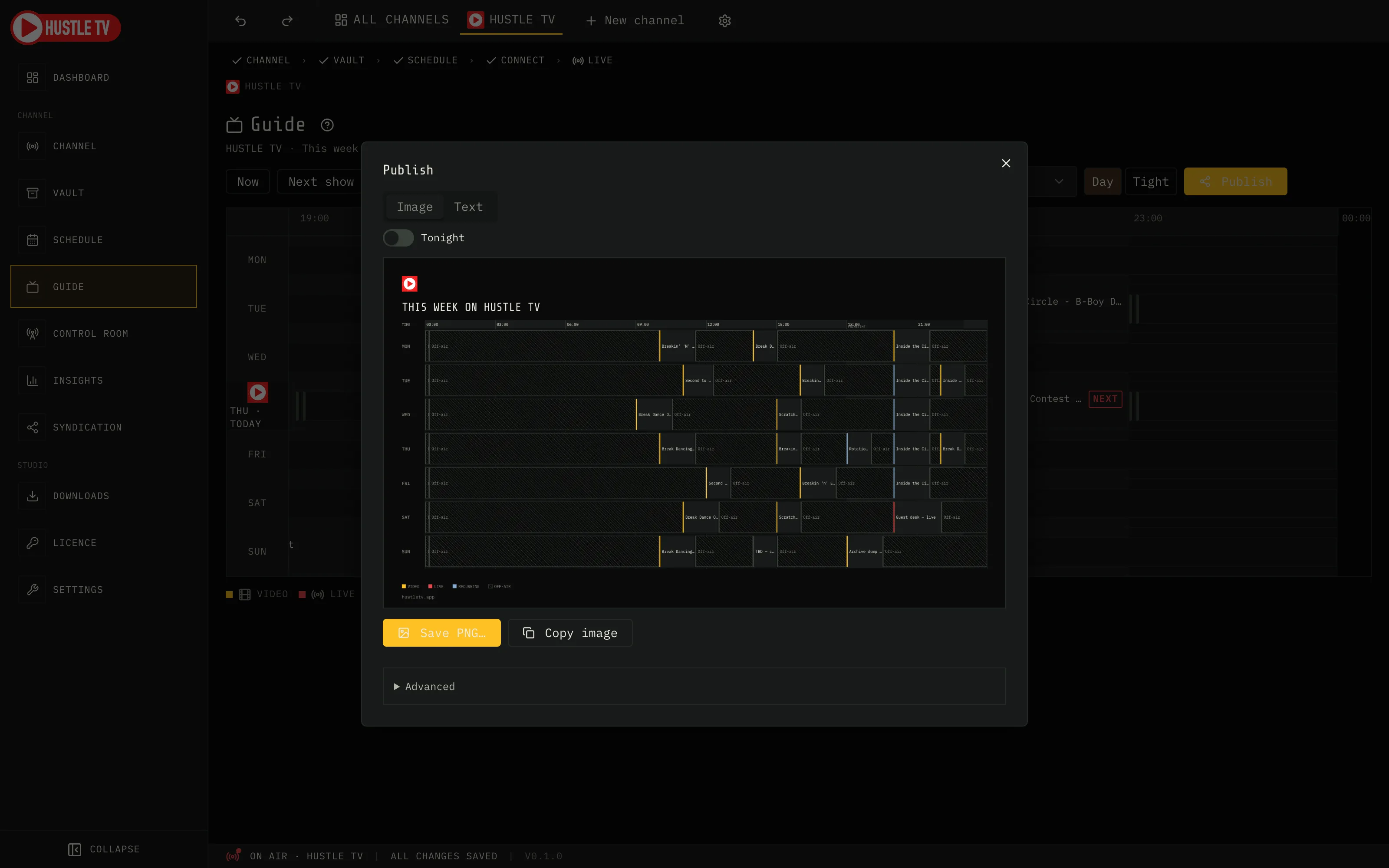
What your audience sees
Export a dark schedule card from Hustle TV — the same week you programmed, ready to post.
Destinations
Primary path — sign in with Google, go live, stay on.
Same encode, RTMP target.
Same Control Room output — add Rumble as another RTMP destination.
Any custom stream destination you control.
Syndication targets, with hours logged per partner.
What's next
Hustle TV Studio runs your channel on the Mac now. A Hustle stick, Firestick app, and central directory are on the roadmap — not in today's download, and we won't pretend otherwise.
Why operators stay
Next-up cards, closing screens, and transitions are part of the schedule — not a last-minute OBS overlay scramble.
Encode once, and Hustle TV pushes it to every destination you've connected. If one target drops, the rest keep airing.
Operators get dense, honest controls. Prospects get a clear path: vault → week → live.